
This is a detailed guide for what you can try to do first if your device is stuck.
Every Linux platform-based Anviz device has a debug mode. If your device is stuck and powering it on and off doesn’t help, you can try to get in the debug mode to not only restart the device and update firmware but also backup data and recover data.
Linux platform-based Anviz devices: FaceDeep Series/ FacePass Series/W1 Pro/W2 Pro/VF30 Pro/EP300 Pro/...
For FaceDeep Series and FacePass Series, the steps to get in the debug mode as follows:
Step1. Power off the device.
Step2. Plug in the wiring and connect three wires together according to the label. Three wires are Open, D/M and GND, or D/S, D/M and GND. (Example FaceDeep 3)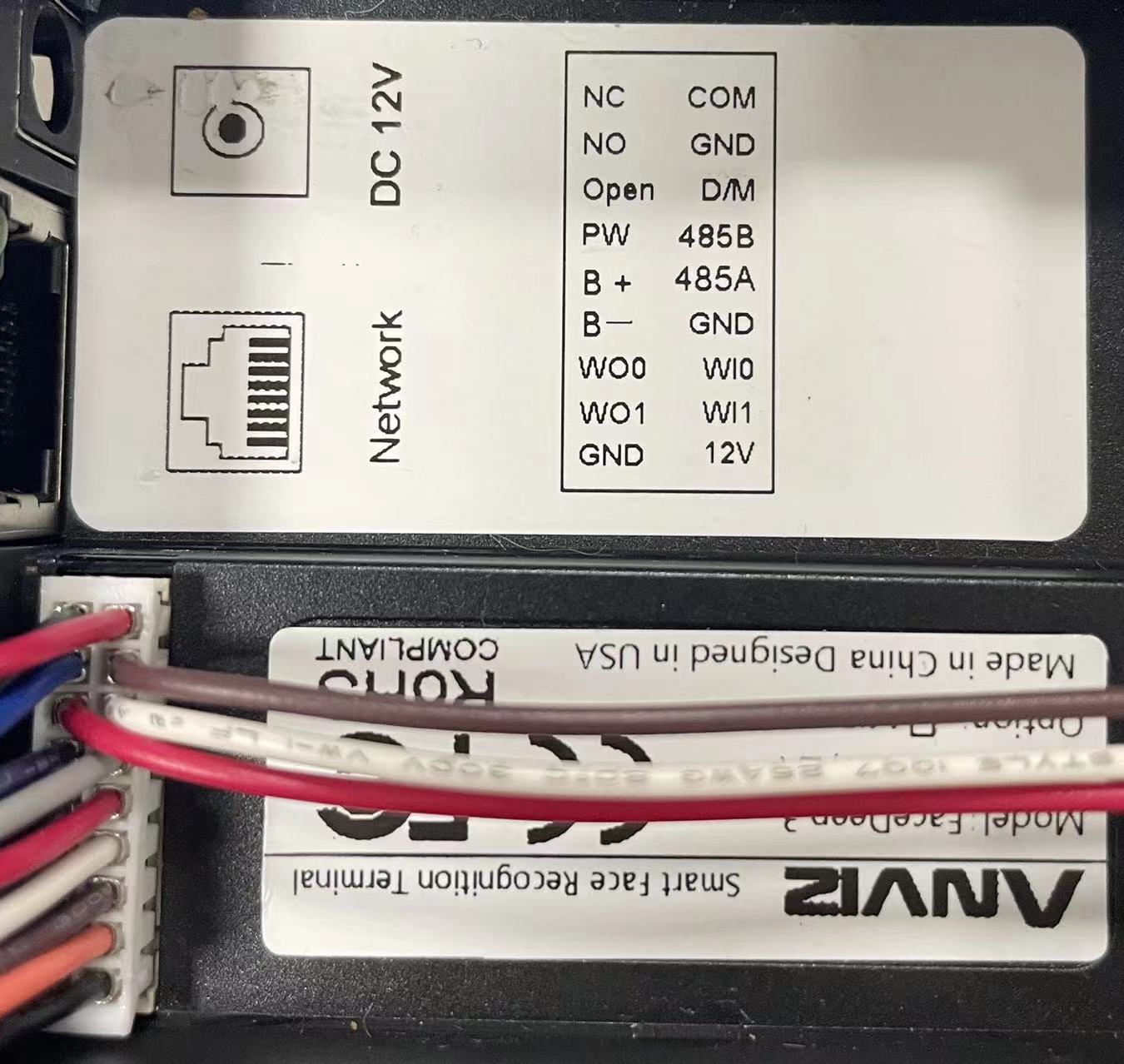
Step3. Access the power supply.
Step4. Done! You will have the screen.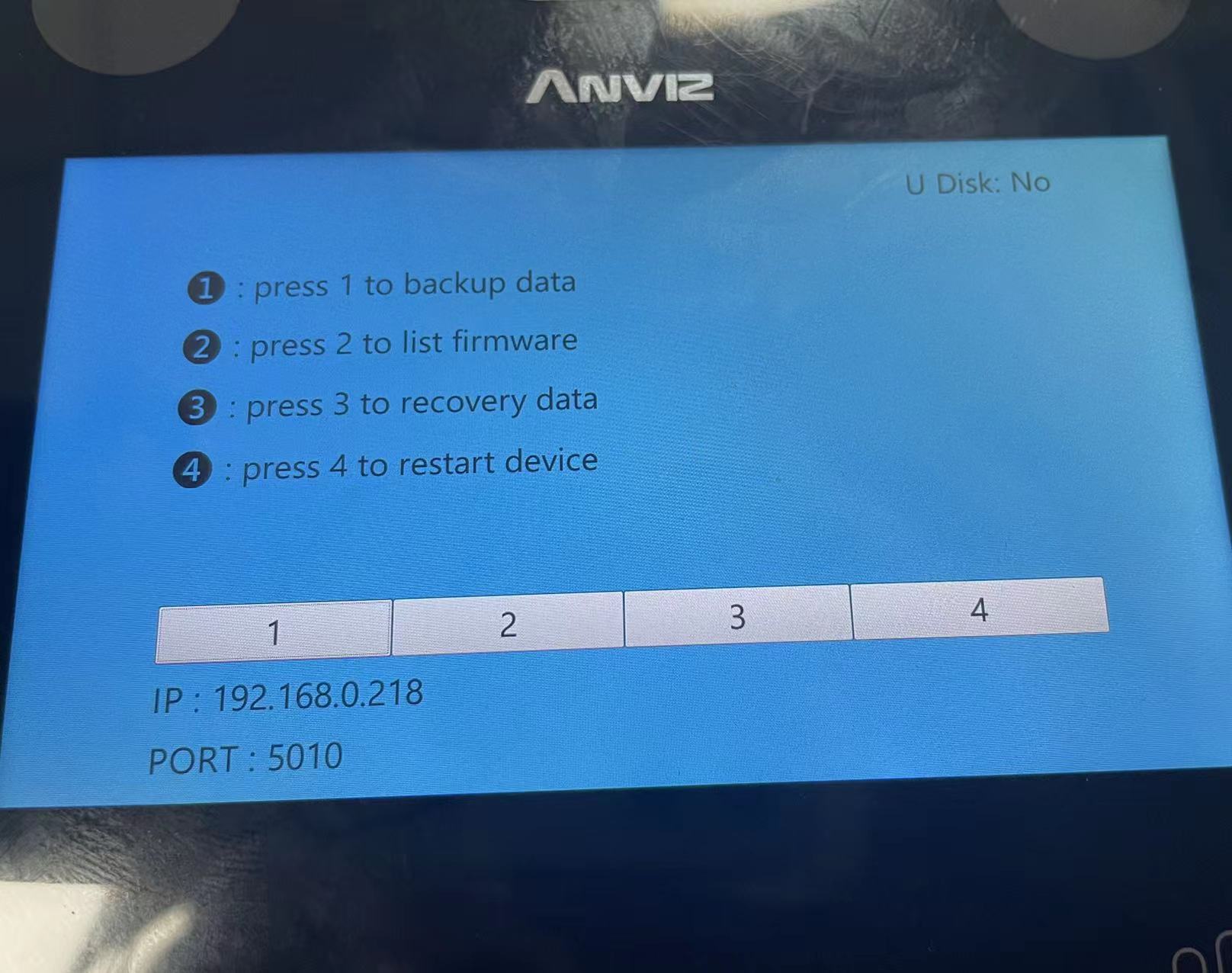
You have successfully entered the debug mode. You can press the number you require.
For other linux platform based devices, the steps to get in the debug mode as follow:
Step1. Power off the device.
Step2. Access the power supply and keep clicking "1" on the keyboard until you have the screen.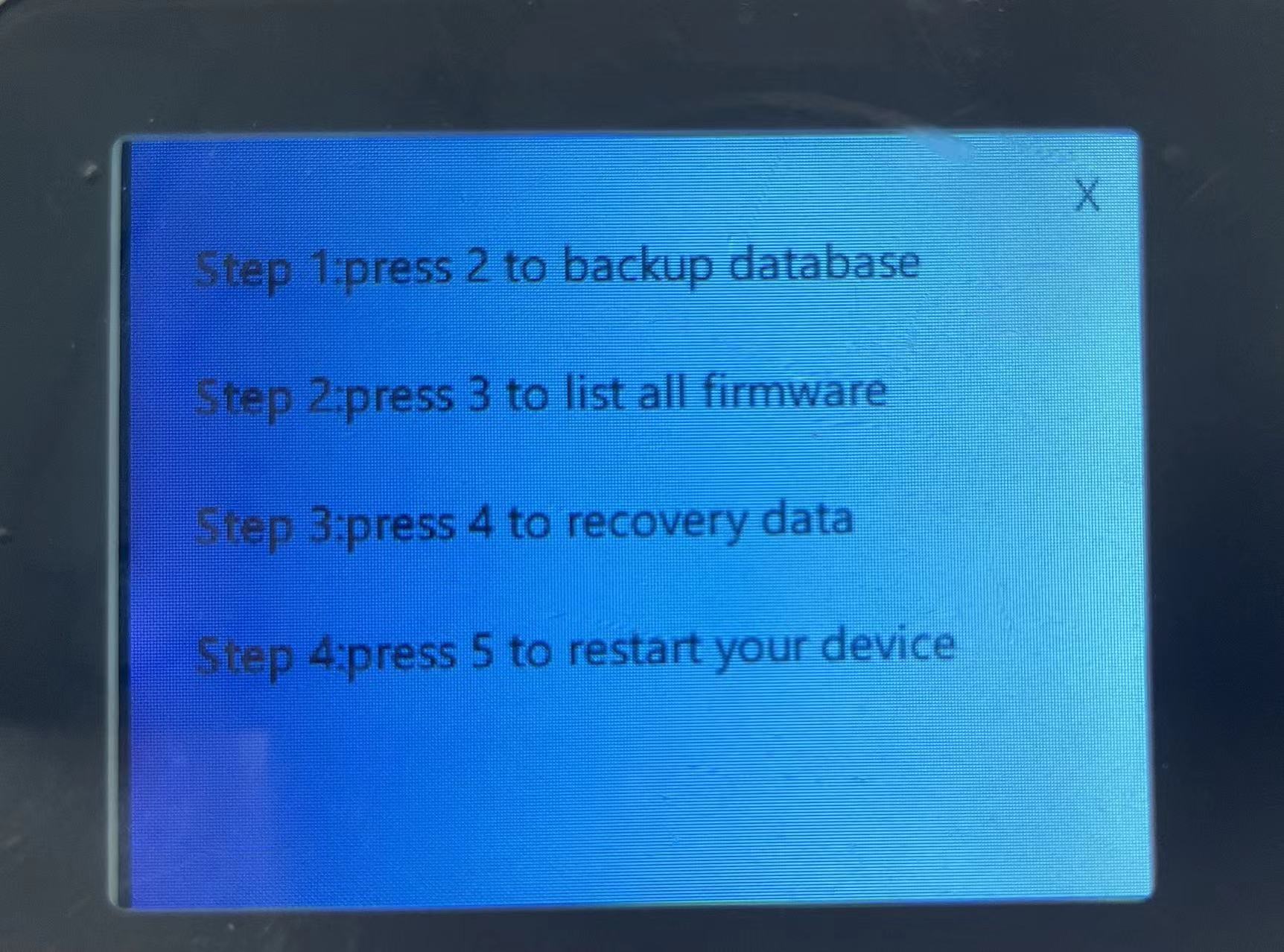
Step3. Done!
You have successfully entered the debug mode. You can press the number you require.
Comments
0 comments
Please sign in to leave a comment.