
Video for non-screen device Firmware upgrade
Video for device with screen Firmware upgrade
Step 1) Get Firmware Upgrade Tool (Download Here)
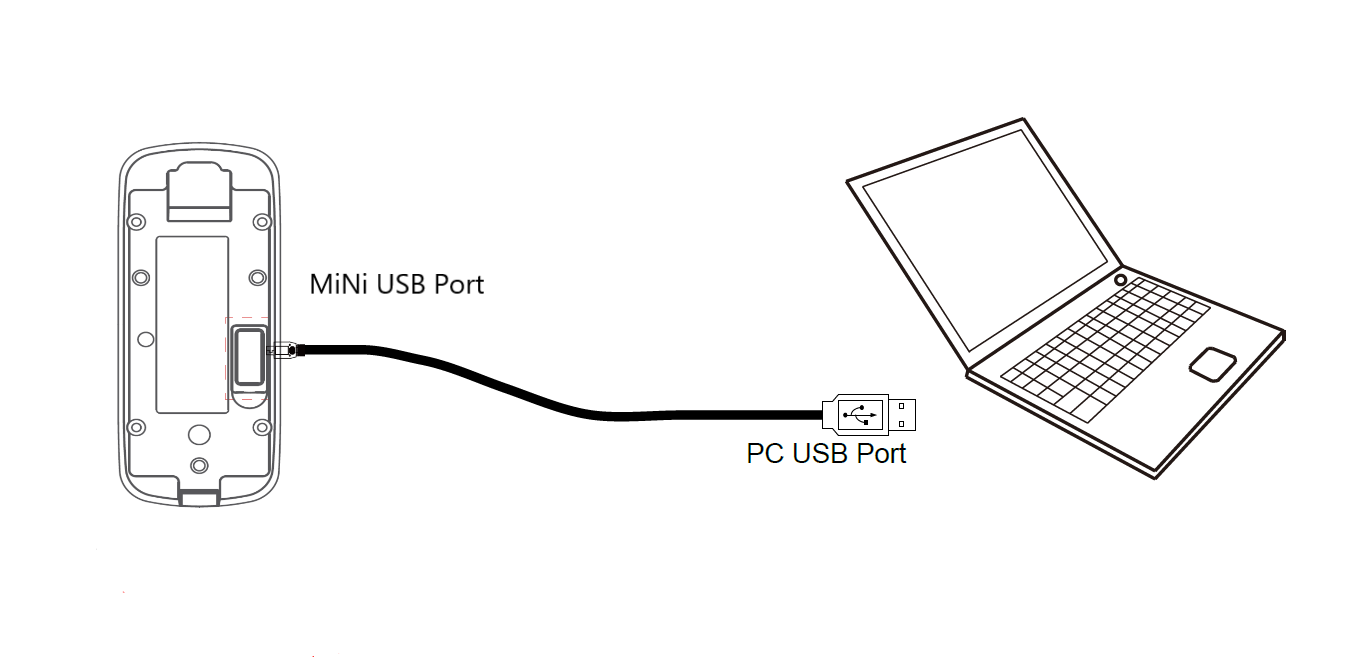
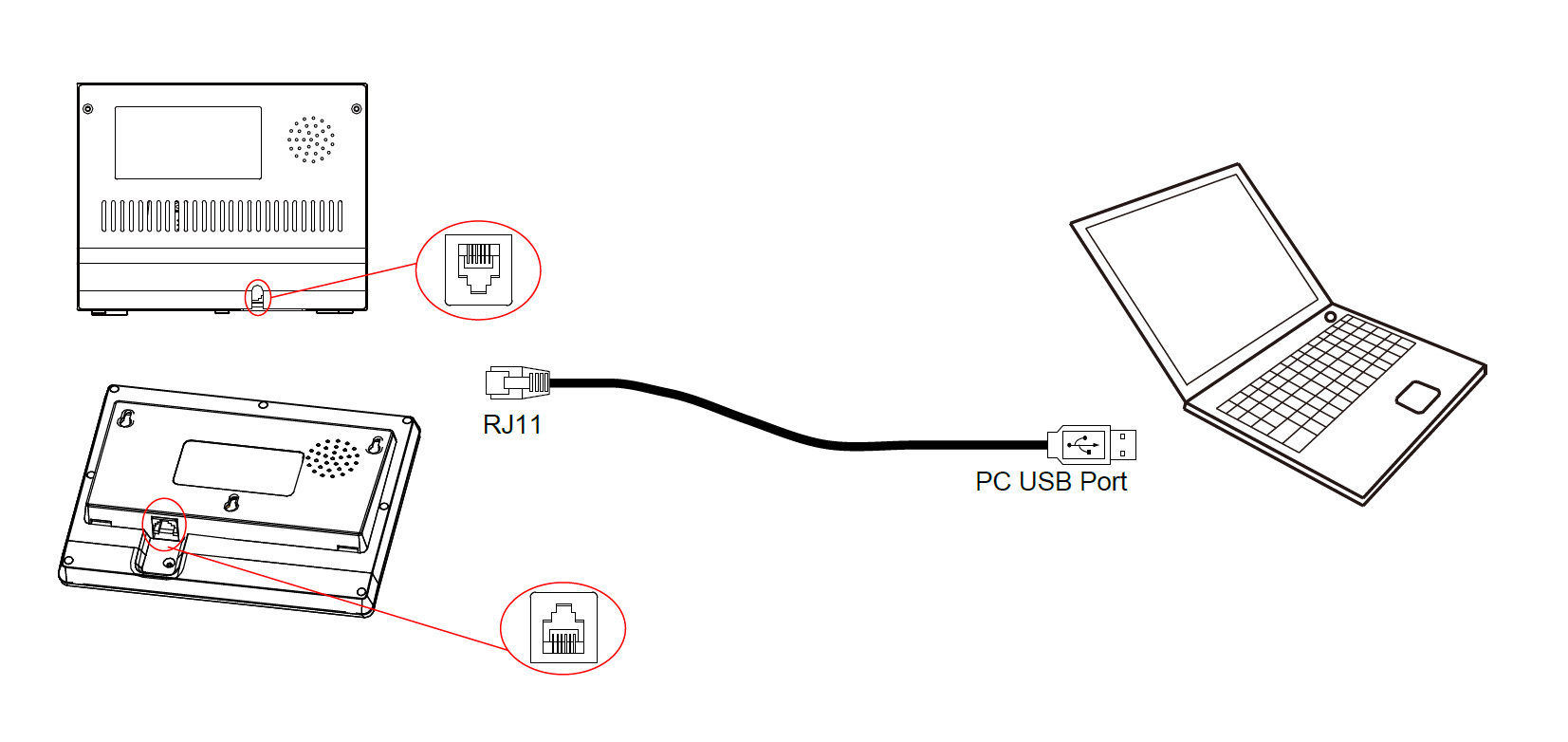
Connect device to your PC with RJ11 to USB cable or Mini USB cable.
Step 2) Get authorization (Optional)
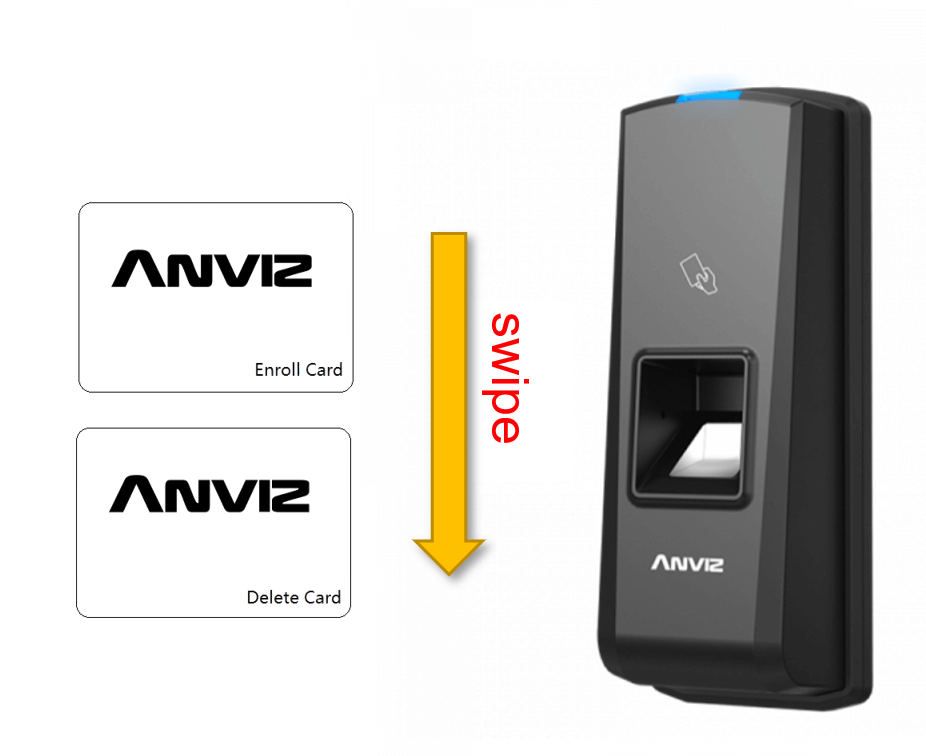
After connection, swipe the admin card (Enroll Card or Delete Card) in 10 seconds.
ATTENTION ! This step is only for non-LCD screen models!
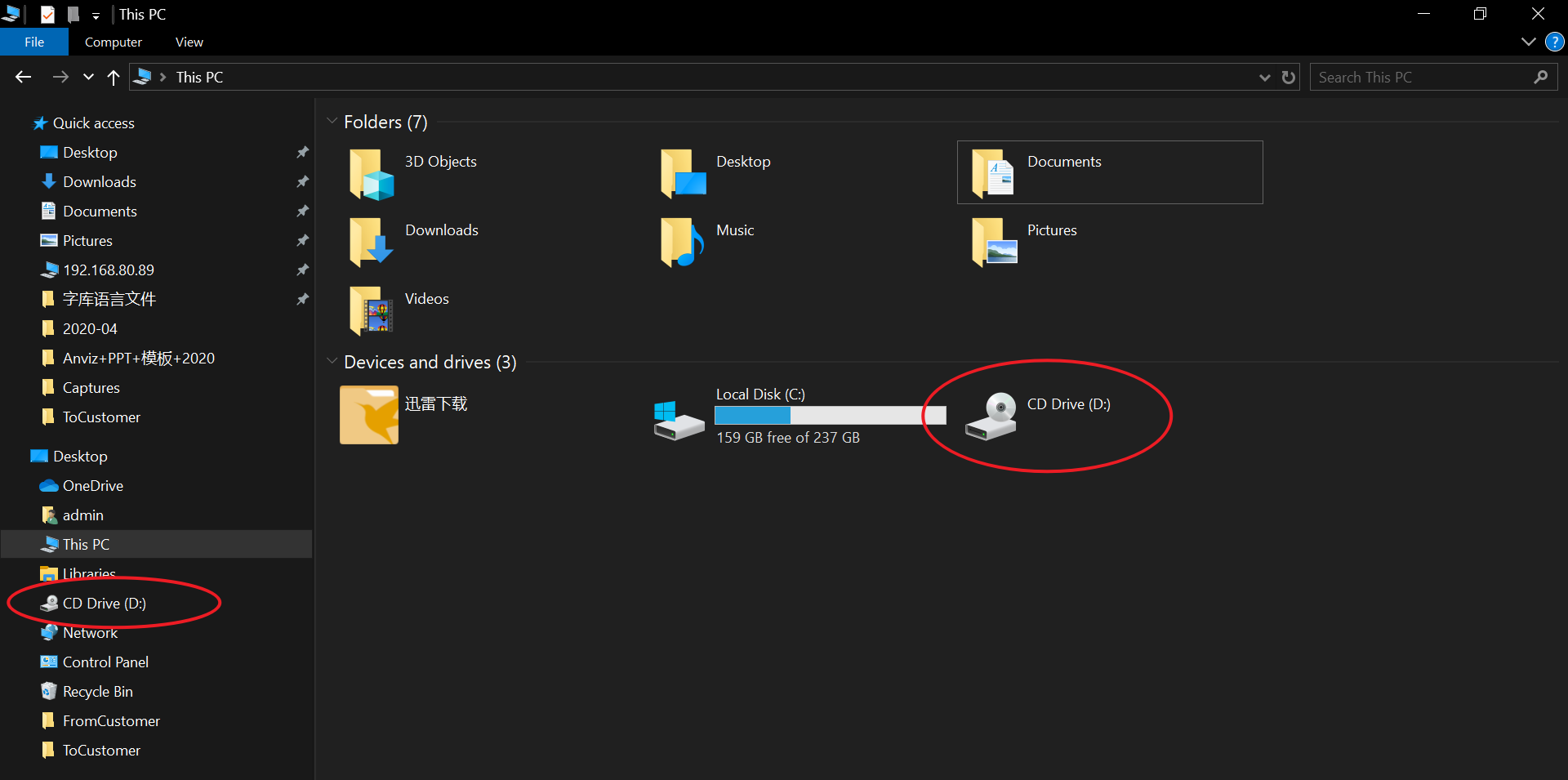
Step 3) Confirm that the device is connected successfully
You will see a new disk driver icon in your windows file manager.
Step 4) Upgrade in your PC
4.1 Run Firmware Upgrade Tool.
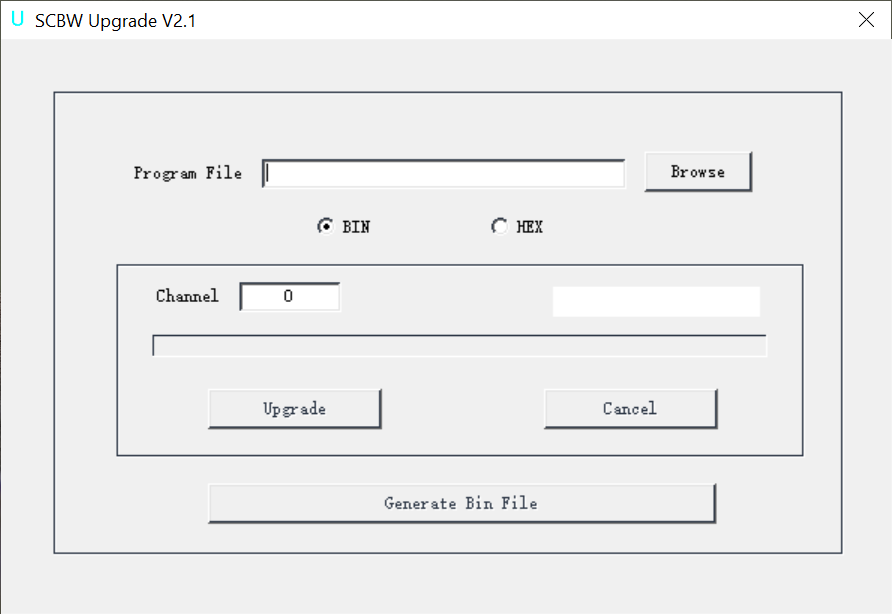
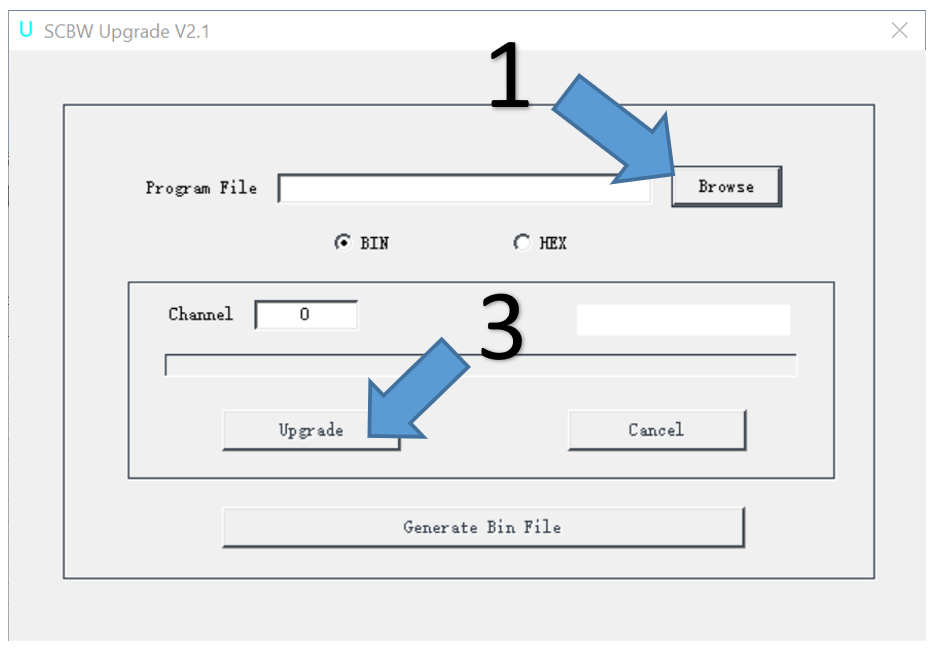
4.2 Update to the newest version of Firmware
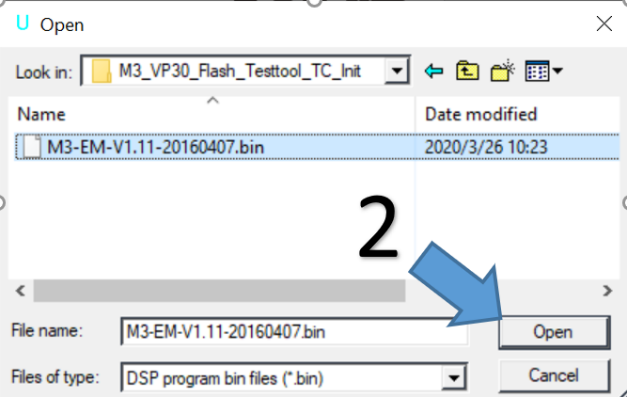
-- Click “Browser” to find the corresponding Firmware (*.bin file).
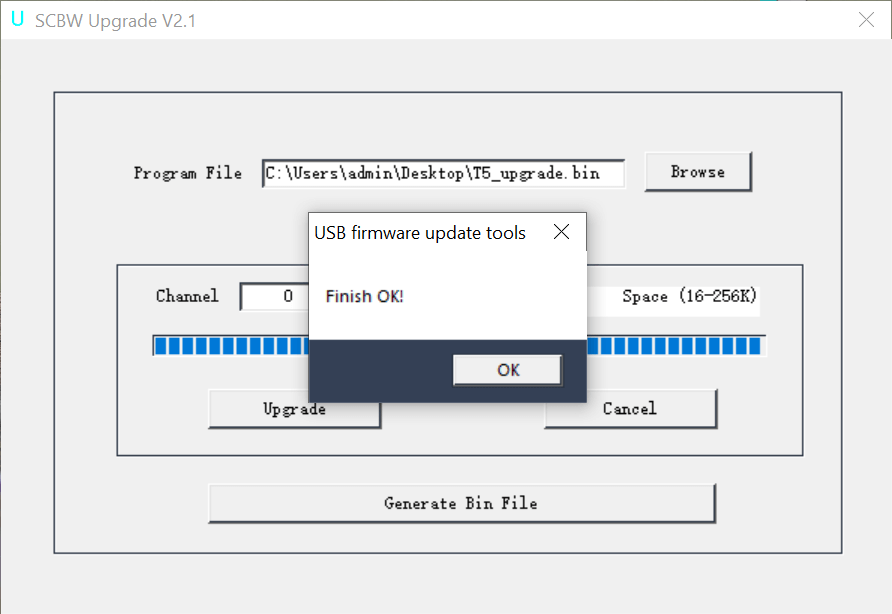
-- Click “Upgrade” to start upgrading. This process may take a few seconds.
4.3 Now you get the last version of Firmware.
Comments
0 comments
Please sign in to leave a comment.