
WIFI Setting in device:
1171.png) |
1172.png) |
1513.png) |
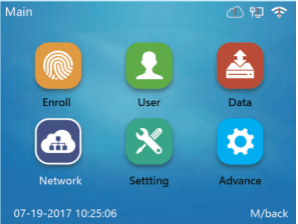
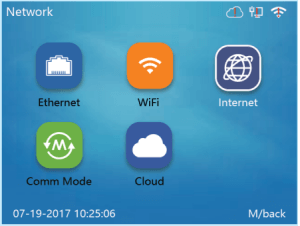
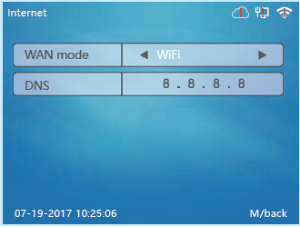
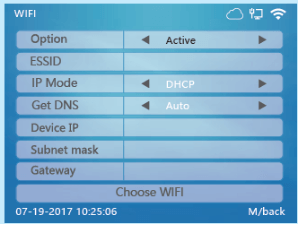
| 1. Go to device administration page (put user: 0 PW: 12345, then ok) to choose network. | 2. Choose Internet button. | 3. Choose “Ethernet” in WiFi mode. |
1675.png) |
1649.png) |
1674.png) |
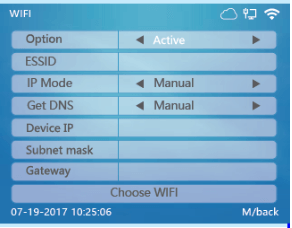
| 4. Choose WiFi button | 5. Connect to WIFI Available | 6. Choose DHCP |
Note: After Ethernet connected, the"!"on right corner Ethernet logo will disappear; WiFi Setting in Device.
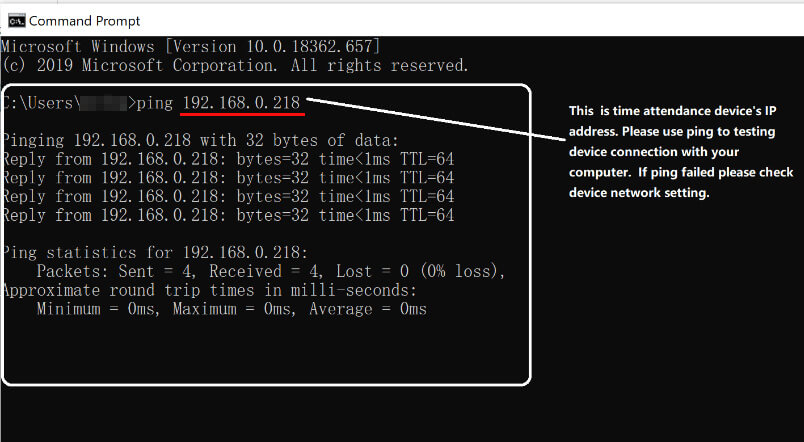
Test device connection with computer:
1858%20(1).jpg)
Comments
0 comments
Please sign in to leave a comment.